


BiP - Messenger, Video Call
4.02.91K Reviews
App Specs
- Version
- 5.1.23
- Updated On
- License
- Free
- Downloads
- 100,000,000+
- Developer
- Turkcell İletişim Hizmetleri A.Ş
- Categories
- Communication
- Platform
- Android, iOS
Screenshots

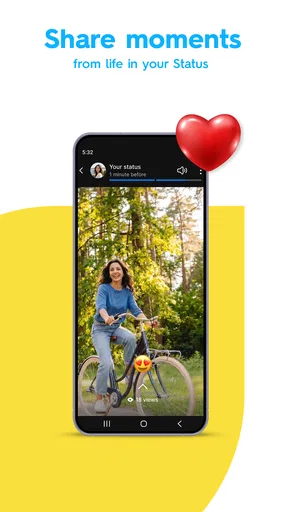
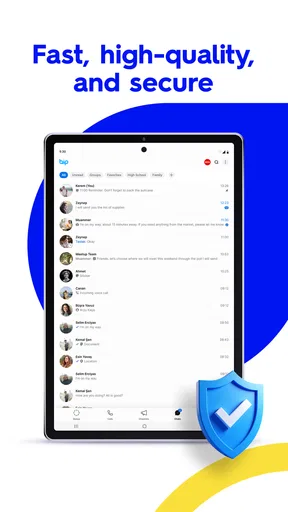
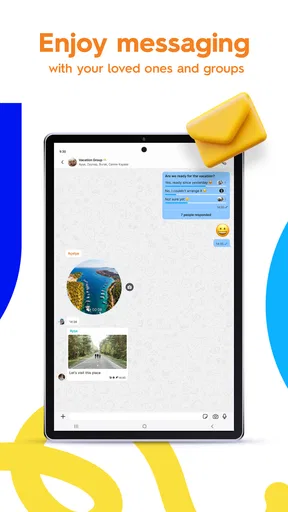
 Analysis by AppCompare
I tend to judge a messaging app less by its first few minutes than by whether it still earns a place on my phone once the novelty wears off. A new interface or an extra feature can be appealing, but the real test is simpler: do the people I need to reach use it, and does it make everyday conversations easier? BiP is worth considering if its mix of messaging, calls, and in-app content fits the way your friends and family communicate.
A promising first week, with a practical learning curve
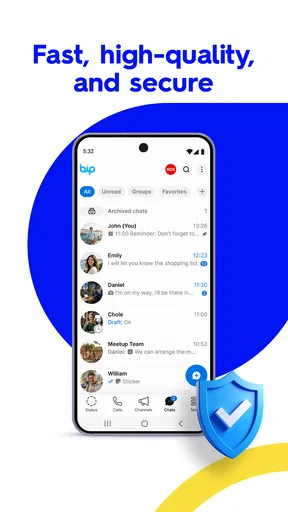
When I try a new messenger, I first look for the basics: can I find a conversation quickly, send a message without fuss, and make a call when typing is inconvenient? BiP brings those jobs together. Its clean, straightforward interface helps newcomers get oriented, while features such as translation and stickers give early conversations a little more personality.
The translation option is especially useful when a conversation crosses language lines. I would treat it as a bridge for everyday messages rather than a substitute for careful wording: jokes, slang, and sensitive details can lose their nuance when translated. For travel planning or a quick exchange with someone who prefers another language, though, being able to work within the chat can save time and reduce awkward back-and-forth.
BiP is a free communication app from Turkcell İletişim Hizmetleri A.Ş. It has a four-star average from around 1.3 million ratings and has been installed over 100 million times. Those figures suggest that it has found a substantial audience, but they do not guarantee that your own contacts are there; for a messenger, that practical question matters more than popularity on its own.
What keeps it useful after the novelty fades
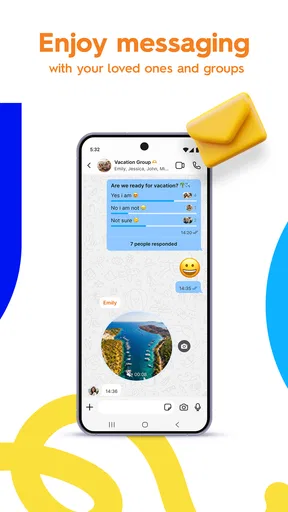
The strongest case for keeping BiP is that it covers several familiar ways to stay in touch without requiring a separate app for every kind of conversation. Text is there for quick updates, voice calls suit moments when a message would be clumsy, and HD video calls make it easier to have a more personal conversation at a distance. In my view, that combination is most valuable when the people you care about are willing to use the same service regularly.
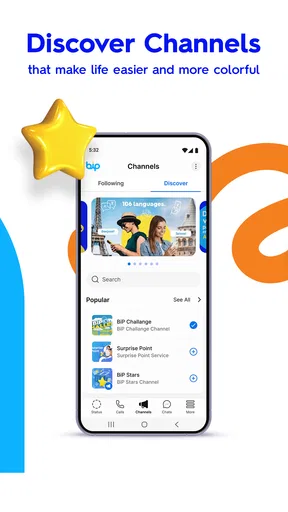
BiP Channels add another kind of use: following content inside the app. That can be handy if you like keeping updates and private conversations in one place. It can also make the app feel busier, so I would be selective about which channels I follow. A messaging inbox works best when important personal chats remain easy to spot rather than competing with a steady stream of updates.
For a realistic routine, imagine coordinating a family visit. You can use text for the address and timing, switch to a call if plans become confusing, and use a video chat to include a relative who cannot be there in person. The value is not that BiP changes this routine; it is that the tools are close at hand when the conversation shifts from a quick note to a longer catch-up.
Worth Reading Before You Choose

Baby Panda World Brings Quick Play to Modern Phones, but Its Game Library Feels Busy

ESPN’s Live Game View Makes Following Close Games Easier

QuizzLand Review: A Good Fit for Short Trivia Breaks, Not Every Player

Basketball Stars: Multiplayer Is Fast, but Can It Recover When Matches Go Wrong?

WEBTOON Turns Phone Updates Into a Better Reading Routine

Link to Windows Runs on Shared Habits, Not Social Feeds
Privacy, calls, and the trade-offs to understand
BiP offers end-to-end encryption for messages and a timer for messages that disappear. Those options can help when you want more control over a conversation, but I would not treat disappearing messages as a guarantee that information can never be saved or seen. Before sharing anything sensitive, consider the recipient and the situation, not only the setting in the app.
Calls are another part of its appeal, especially when hearing a person’s voice is more reassuring or efficient than exchanging several messages. Video can make a distant catch-up feel more natural, although call quality in any app depends on the connection and the devices at both ends. If a call matters, I would check that the other person can use BiP and has a suitable connection before relying on it for a time-sensitive conversation.
The app is rated for Everyone, and it remains free to install, with optional in-app purchases ranging from under a dollar to just under three hundred dollars per item. That range is worth noticing rather than assuming every available purchase is relevant. I would start with the free experience and only consider paying if a specific in-app option genuinely improves how I use the service.
Maintenance, habits, and the reasons to choose something else
A messenger’s maintenance burden is partly technical and partly social. On the practical side, BiP needs to be kept current: its current version is 5.1.23, and it supports devices running Android 7.0 or later. If you are choosing a messenger for a household, it is sensible to check that everyone’s phone can run it before asking the group to move. A mixed group of older devices can turn a promising switch into a support chore.
The larger maintenance task is keeping conversations in the right place. If your relatives, colleagues, or friends already organize their plans in WhatsApp, Messenger, or another familiar service, adding BiP may split replies across multiple inboxes. That is a real cost, even if the app itself feels easy to use. I would not ask an entire group to migrate for one extra feature; I would try it first with the people who will actually benefit from translation, its calling options, or Channels.
BiP is a better fit for someone who wants messaging and calls together, expects to use its translation feature, or has contacts who already prefer it. It is less compelling for someone whose main priority is reaching the widest possible circle through a single app, or who does not want another service to check. In those cases, the messenger your contacts already open is usually the more practical choice, even if it has fewer distinctive extras.
One useful habit is to decide what role BiP will play before filling it with channels and side conversations. I would keep personal chats as the main reason to open it, follow only channels I genuinely want to read, and use disappearing messages selectively instead of treating them as a default. This small bit of discipline helps prevent a communication app from becoming another source of notifications and catch-up work.
BiP was released on November 4, 2013, so it is not a brand-new experiment, and its large audience gives it a credible foundation. Still, longevity and install totals cannot tell me whether the people in my own life will adopt it. Before making it your main messenger, invite one or two regular contacts and test the ordinary routines—sharing plans, starting a call, and keeping up with a group—rather than judging it by a feature tour alone.
Hey there! So, I’ve been diving deep into the world of messaging apps, and today, I’m super excited to share my thoughts on BiP - Messenger, Video Call. This app has been on my radar for a while, and I finally got around to giving it a test drive. Let's get into it!
First Impressions: What Makes BiP Stand Out?
Opening up BiP - Messenger, Video Call for the first time was like stepping into a fresh, sleek communication hub. The interface is clean and straightforward, which is exactly what you want in a messaging app. No one likes getting lost in a sea of buttons and options, right?
One of the first things that caught my eye was the range of communication options. You can text, call, and video chat, which is pretty standard, but BiP also offers some cool extras. Ever wanted to send a message to someone in a different language? Well, BiP has a built-in translation feature. Talk about breaking down barriers!
Features That Make Life Easier
Now, let’s talk features. Besides the translation tool, BiP offers HD voice and video calls, which are crystal clear. I tried it out with a friend overseas, and it felt like they were right in the room with me. The call quality is definitely a highlight.
There’s also a nifty feature called BiP Channels. Think of it like following your favorite influencers or news outlets. You get updates and content directly in the app without having to switch between different platforms. It’s like having a personalized news feed.
Another thing I loved is the sticker packs. Who doesn’t love stickers? They add that extra bit of fun to your chats. Plus, you can even create your own. Time to let your creativity shine!
Security and Privacy: Feeling Safe While You Chat
In today’s digital age, security is a big deal, and BiP takes it seriously. They offer end-to-end encryption for your messages, which means your chats stay private between you and the person you're talking to. No prying eyes here!
Also, you can set timers for your messages to disappear. It’s like having a superpower to control your chat history. Pretty neat if you ask me.
Usability Across Devices
I gave BiP a whirl on both Android and iOS, and it performed seamlessly on both. The app syncs your chats across all your devices, so you can start a conversation on your phone and pick it up on your tablet without missing a beat.
Plus, there’s a web version. So, if you’re stuck at your computer, you can still keep up with all your conversations. It’s all about convenience!
How Does It Compare?
So, how does BiP - Messenger, Video Call stack up against the big players like WhatsApp and Messenger? Honestly, it holds its own. While it may not have the massive user base of WhatsApp, it offers unique features like translation and BiP Channels that give it an edge.
It’s perfect for those who are looking for something a bit different and want to explore new ways to connect with others.
In conclusion, if you’re in the market for a versatile messaging app that goes beyond the basics, BiP is definitely worth a download. It’s got a bit of everything and then some. Whether you’re chatting, calling, or exploring content, BiP makes it fun and easy. Give it a shot and let me know what you think!
Pros
- Intuitive user interface for easy navigation.
- High-quality video and voice calls.
- Offers secure
- encrypted messaging.
- Wide range of fun stickers available.
- Supports multiple languages for global use.
Cons
- Occasional delays in message delivery.
- Uses significant data for video calls.
- Limited customization for notifications.
- Group call feature can be unstable.
- Some features require in-app purchases.
FAQs for BiP - Messenger, Video Call
What platforms is BiP - Messenger, Video Call available on?
BiP is available for both Android and iOS devices, making it accessible to a wide range of users. You can download it from the Google Play Store for Android devices and the Apple App Store for iOS devices. This cross-platform compatibility ensures you can connect with friends regardless of their device type.
Does BiP offer any unique features compared to other messaging apps?
Yes, BiP stands out with several unique features. It offers secure messaging, high-quality video calls, and an array of entertaining stickers. Additionally, BiP supports group video calls and has a translation feature that allows users to communicate in multiple languages seamlessly, making it a versatile communication tool.
Is BiP - Messenger, Video Call secure for personal communication?
BiP prioritizes user security with end-to-end encryption for its messages and calls. This ensures that only you and the person you’re communicating with can read or listen to them. Furthermore, BiP regularly updates its security protocols to protect user data from unauthorized access.
Are there any costs associated with using BiP - Messenger, Video Call?
BiP is free to download and use. However, data charges may apply, depending on your mobile network provider. It’s advisable to use a Wi-Fi connection for video calls and large file transfers to avoid excessive data usage. Some premium features might also require additional purchases.
Can I use BiP without sharing my phone number?
BiP requires a phone number for registration to ensure secure and reliable communication. This number serves as your unique identifier within the app, similar to other messaging services. However, BiP maintains strict privacy policies to ensure your phone number is not shared with unauthorized parties.


